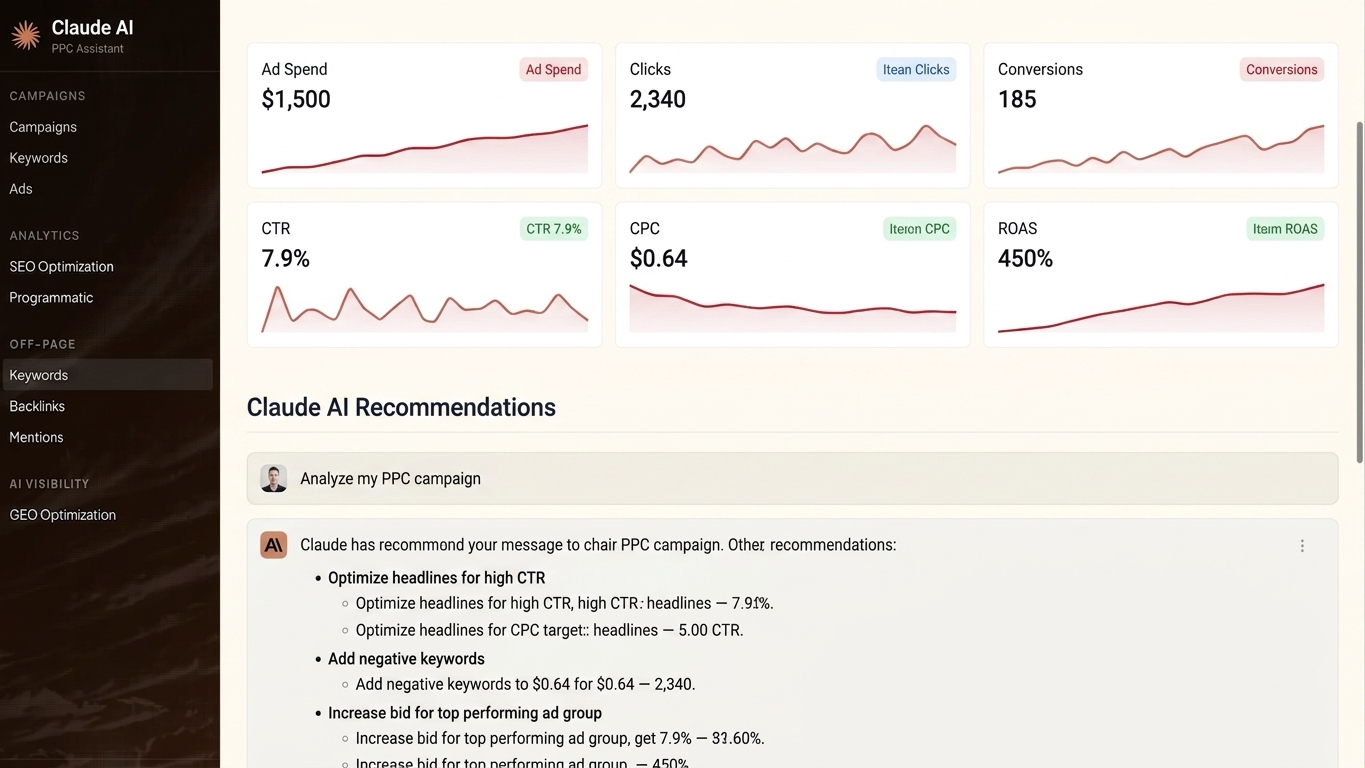
Claude can run PPC audits, write ad copy, analyze performance data, and flag wasted spend — but only if you set it up correctly. This guide shows you exactly how to use Claude AI for PPC management in 2026, step by step, with specific prompts and real workflows for Google Ads and Meta.
TL;DR: Claude AI handles PPC management tasks — campaign audits, ad copy generation, keyword analysis, bid strategy recommendations, and performance reporting — when you feed it structured data and clear role prompts. It is not a native ad platform integration; it is a reasoning layer on top of your existing data exports. For fully automated, always-on PPC management across Google, Meta, TikTok, and LinkedIn, Ryze AI connects directly to your ad accounts and acts without manual exports.
Why Claude for PPC in 2026
PPC managers spend roughly 60% of their time on tasks Claude can do faster: auditing account structure, writing headline variants, interpreting ROAS drops, and building weekly reports. Claude 3.5 Sonnet processes long-context documents (up to 200K tokens), which means you can paste an entire Google Ads search terms report or a Meta campaign export and get a structured diagnosis in seconds.
The limitation is data access. Claude does not connect to Google Ads or Meta APIs on its own. Every workflow below assumes you export data manually or via a script, then bring it to Claude. If that step is a dealbreaker, the right move is a platform that handles the connection natively.
What You'll Need
- Active Claude account (claude.ai or API access via Anthropic)
- Google Ads or Meta Ads Editor export (.csv or .xlsx)
- Search terms report, keyword performance report, or ad creative performance export
- 30–60 minutes to set up initial prompt templates
- Optional: Google Ads scripts or a third-party connector (Supermetrics, Funnel.io) for automated data pulls
Step 1: Set the Role and Context
Action: Open a new Claude conversation and establish a role prompt before pasting any data.
Claude's output quality jumps significantly when you define who it is and what it knows. A generic "analyze my ads" prompt returns generic advice.
Prompt to use:
You are a senior PPC strategist with 10 years managing Google Ads and Meta campaigns for DTC brands. You understand ROAS, CPA targets, Quality Score, campaign structure best practices, and creative performance analysis. When I share data, diagnose the biggest issues first, then list specific action items with priority scores (1–3). Do not summarize what I gave you — go straight to the diagnosis.
Why it matters: Anchoring Claude to a specific domain prevents it from explaining basics you already know. The instruction to skip summaries saves 200–400 words of noise per session.
Expected outcome: Claude confirms the role and waits for your data. Every follow-up in this session inherits the context.
Common mistake: Starting with data before the role prompt. Claude will still respond, but the advice will be generic and often padded with definitions of terms like "ROAS" that you do not need.
Step 2: Run a Campaign Structure Audit
Action: Export your Google Ads or Meta campaign structure and paste it with a structured audit prompt.
In Google Ads, download the campaign and ad group report from the Reports tab. In Meta, use Ads Manager's export function at the campaign level. Include: campaign name, objective, budget, status, impressions, clicks, spend, conversions, ROAS (or CPA).
Prompt to use:
Here is my Google Ads account structure export for the last 30 days. Identify: (1) campaigns with overlapping keywords or audiences, (2) ad groups with fewer than 3 active ads, (3) any campaign spending more than $500 with zero conversions, (4) ROAS outliers — both high and low — and explain what is driving them. Format the output as a prioritized issue list.
Why it matters: Account bloat is the most common source of wasted spend. Claude can spot structural issues — duplicate themes, orphaned ad groups, budget cannibalization — in a single pass that would take a human analyst 2–3 hours.
Expected outcome: A numbered issue list with severity ratings. In 2026, Claude 3.5 handles 50,000-word data pastes without truncation errors.
Common mistake: Pasting raw CSV with 40 columns. Strip the export to 8–10 relevant columns first. Claude processes cleaner data faster and hallucinates less on sparse or irrelevant columns.
Step 3: Analyze Search Terms and Add Negatives
Action: Run a search terms report for the last 30 days and bring it to Claude for negative keyword extraction.
In Google Ads, go to Keywords → Search Terms, filter to the date range, and download. Include: search term, impressions, clicks, spend, conversions, conversion rate.
Prompt to use:
Here is my search terms report. Identify the top 20 irrelevant or low-intent queries I should add as negative keywords. Group them by theme (e.g., informational, competitor brand, wrong product category). Also flag any high-spend, zero-conversion terms that are not already obvious negatives — those are the most urgent.
Why it matters: Negative keywords are pure savings. Every irrelevant click you stop paying for goes directly back into budget for converting terms. This task is purely pattern recognition — Claude is fast at it.
Expected outcome: A themed negative keyword list you can import directly into the Google Ads Editor. Claude will also flag ambiguous terms where intent is unclear, so you make the final call.
Common mistake: Accepting the full negative list without review. Some terms Claude flags as irrelevant may be valuable for specific funnel stages. Always scan before bulk-adding negatives.
Step 4: Generate and Test Ad Copy Variants
Action: Feed Claude your top-performing and worst-performing ads, then generate new variants optimized for what is working.
Prompt to use:
Here are my current Google Ads RSAs ranked by CTR and conversion rate. The top performer has a CTR of [X]% and conversion rate of [Y]%. Analyze the patterns in the headlines and descriptions of the top 3 ads. Then write 5 new RSA headline sets (15 headlines each, max 30 characters) and 4 descriptions (max 90 characters) that follow those patterns but test a new angle: [urgency / social proof / feature-benefit]. Flag which headlines are pinned versus unpinned.
Why it matters: Most ad accounts run 2–3 creative variants per ad group. Testing 15 headlines systematically against a known winner accelerates learning cycles from months to weeks.
Expected outcome: Production-ready RSA copy within the character limits, formatted so you can paste directly into Google Ads Editor.
Common mistake: Asking Claude to write ads without giving it your winners first. Unconstrained creative generation produces average copy. Anchoring to your actual top performers forces Claude to learn your specific audience's language.
Step 5: Build a Weekly Performance Report
Action: Export your key metrics weekly and use Claude to generate a narrative report you can send to clients or stakeholders.
Prompt to use:
Here is this week's PPC performance data vs. last week and vs. 30-day average. Write a 300-word performance summary covering: (1) what changed and why, (2) the one metric that concerns you most and what is driving it, (3) the one win worth calling out, (4) three specific actions for next week. Write it for a client who does not want jargon — translate ROAS, CPA, and CTR into dollar terms where possible.
Why it matters: Report writing eats 3–5 hours per week for agencies managing 10+ accounts. Claude can cut that to 20 minutes per account once you have a standard data template.
Expected outcome: A client-ready narrative that requires light editing, not a rewrite. Pair this with a Google Looker Studio dashboard for the chart layer.
Common mistake: Expecting Claude to explain trends it cannot see. If spend dropped because of a budget pause you made manually, Claude will not know — add a notes column to your export so it has context for anomalies.
Step 6: Build Reusable Claude Skills (Claude.ai Projects)
Action: Save your best role prompts and workflows as Claude Projects so you are not re-entering context every session.
In claude.ai, create a Project and paste your master role prompt plus your data formatting rules into the Project instructions. Every new conversation within that Project inherits the context automatically.
Why it matters: The ROI of Claude for PPC compounds when you standardize the inputs. A team of 5 account managers using the same Project runs consistent audits — no variance from how someone wrote the prompt that day.
Expected outcome: A shared PPC Claude Project that any team member opens and gets the same quality output in session 1 as session 100.
Common mistake: Building prompts in one-off chats. They disappear. Projects persist and are shareable in 2026 across team members on the same Claude organization plan.
Troubleshooting
Claude gives vague, generic recommendations. Your data is too sparse or too messy. Strip the export to 8–10 columns, add a plain-English description of your campaign goal above the data, and re-run.
Claude hallucinates metrics that are not in my export. It is filling gaps. Add an explicit instruction: "Only reference numbers from the data I provide. Do not estimate or infer any metric I have not given you."
Output is too long and padded. Add a word limit and structure instruction: "Keep the full response under 500 words. No bullet should exceed 2 sentences."
Claude cannot handle my full export — it truncates. You are on the free tier (200K context limit is API/Pro only). Either upgrade or pre-filter your export to the 50 highest-spend rows before pasting.
Recommendations conflict with Google's best practices. Claude does not have real-time access to Google's policy updates. Cross-check any structural recommendations against the Google Ads Help Center before implementing.
I cannot get consistent output across my team. You are not using Projects. Set up a shared Claude Project with locked instructions — inconsistency drops immediately.
Tools and Resources
- Claude Pro or Team plan — required for 200K context window and Projects feature
- Google Ads Editor — free bulk upload tool for implementing Claude's recommendations fast
- Google Ads Search Terms Report — the highest-ROI export for negative keyword work
- Supermetrics or Funnel.io — automates data exports so you skip the manual download step
- Ryze AI at get-ryze.ai — for teams that want the analysis, copy generation, and optimization executed automatically without manual exports. Ryze connects directly to Google Ads, Meta, LinkedIn, and TikTok APIs and runs the equivalent of Steps 1–5 continuously.
What to Do Next
Start with Step 2 — the campaign structure audit — using last month's data. It produces the fastest visible win (identifying wasted spend) and forces you to build the data export habit that every other step depends on.
If you run more than 3 ad accounts or spend more than $10,000/month across platforms, the manual export loop in this guide becomes the bottleneck. At that scale, a connected platform that talks to your ad accounts directly — not a chat window you paste data into — is the right infrastructure for 2026.
FAQ
Can Claude AI directly manage my Google Ads or Meta campaigns? No. Claude does not have native API access to Google Ads or Meta. It analyzes data you bring to it and generates recommendations or copy, but a human (or an integrated platform) must implement the changes.
What is the best Claude model for PPC tasks in 2026? Claude 3.5 Sonnet is the current best balance of speed and reasoning quality for PPC workflows. It handles long data exports without truncation and produces structured output reliably.
How much does Claude cost for PPC management use? Claude Pro costs $20/month per user. Claude Team (required for shared Projects) starts at $25/user/month. API pricing is token-based — a typical audit session runs under $0.10 at current rates.
Is Claude better than ChatGPT for PPC tasks? For long-context data analysis (full account exports), Claude's 200K token window outperforms GPT-4o's effective working context. For real-time browsing or function calling into ad platforms, neither model does it natively — you need a connected tool.
How do I prevent Claude from making up metrics? Add this line to every prompt: "Only reference numbers from the data I provide. If a metric is not in my export, say so rather than estimating." This single instruction eliminates most hallucination in data analysis tasks.
Can I use Claude for TikTok and LinkedIn ads, not just Google and Meta? Yes. The workflows are identical — export performance data, bring it to Claude with a platform-specific role prompt. TikTok Ads Manager and LinkedIn Campaign Manager both support CSV exports.
How long does a Claude PPC audit take? With clean data and a tested prompt, a campaign structure audit takes 3–5 minutes of Claude response time. Total time including your export and review is 20–30 minutes per account.
What data should I never paste into Claude? Do not paste customer PII, payment data, or any data covered by your client's MSA confidentiality clause. Aggregate performance metrics (impressions, spend, ROAS) carry no PII risk. Audience lists with emails or phone numbers do.
One Last Thing
The single highest-ROI Claude PPC task is the search terms negative keyword audit — not because it is glamorous, but because every dollar saved on irrelevant clicks is immediate and compounding. Most accounts running for 12+ months have 15–30% of spend going to search queries that have never converted. Run that audit in Claude first, implement the negatives, and the budget freed up pays for every other optimization effort you run in 2026.