
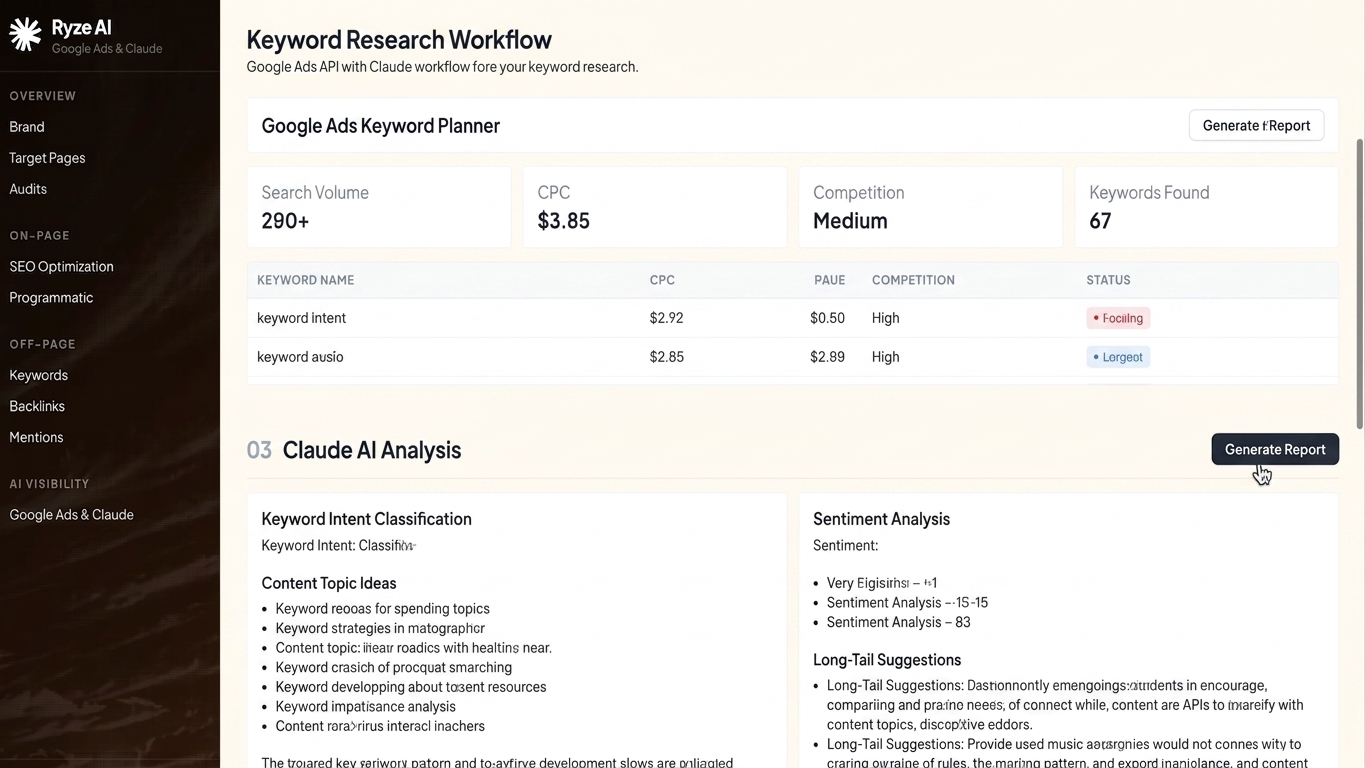
pulling keyword planner data through the google ads api and feeding it to claude turns a two-hour research session into a 20-minute workflow — this guide walks through the exact setup, step by step, for 2026.
tl;dr: the fastest google ads api keyword planner claude workflow in 2026 uses the google ads api to pull raw search volume and idea data, exports it as structured json or csv, then hands it to claude for clustering, intent tagging, and negative keyword flagging. verdict: build the pipeline once, reuse it every month — manual keyword planner exports are a wasted hour compared to an api-to-claude pipeline that runs on autopilot. ryze ai's ai ad management platform automates this same pull-and-analyze loop if you'd rather skip the setup.
why this matters
keyword planner inside the google ads ui is fine for a one-off check. it's terrible for anyone running more than a handful of campaigns, because every pull means manual filtering, manual exporting, and manual pasting into a spreadsheet you'll forget to update next month.
the google ads api gives you programmatic access to the same keyword idea and historical metrics data — search volume, competition, top-of-page bids — without the ui friction. claude then does what a human analyst would spend an afternoon on: grouping keywords by intent, spotting duplicates across ad groups, and flagging low-value terms before they burn budget.
search interest around "google ads api keyword planner claude" workflows has grown fast in 2026 as agencies push more of their research pipeline into ai tools. the claude ai ppc management guide covers the broader campaign-management use case — this guide is the keyword research piece specifically.
what you'll need
- a google ads account with api access approved (basic or standard access level)
- a developer token from the api center in your google ads account
- oauth2 credentials set up through google cloud console
- claude with a paid plan (projects or claude code work best for repeatable workflows)
- a script or claude skill that formats api output into csv/json
- 30-45 minutes for first-time setup, under 10 minutes for every run after that
the steps
1. request and confirm google ads api access
you can't skip this — no developer token, no api calls. apply for basic access in the api center, which google typically approves within a few business days in 2026. standard access (needed for higher call volumes) can take 2-4 weeks, so apply early if you're managing multiple accounts.
common mistake: applying with a brand-new manager account and no campaign history. google reviews usage patterns before approving standard access, so build up some account activity first.
2. set up oauth credentials in google cloud console
create a project in google cloud console, enable the google ads api, then generate an oauth client id and secret. you'll use these to authenticate every api call, alongside your developer token and a refresh token generated once through the oauth flow.
store all four credentials (developer token, client id, client secret, refresh token) somewhere you can reference in scripts — a .env file works fine for a solo operator, a secrets manager if you're on a team.
common mistake: regenerating the refresh token every session instead of storing it. the refresh token is long-lived — generate it once and reuse it.
3. pull keyword idea and historical metrics data
use the keywordplanidea service to call generatekeywordideas for fresh suggestions, and generatekeywordhistoricalmetrics for exact search volume on a known list. request data by location and language so you're not pulling global averages for a campaign that only targets three states.
expect response fields like avg_monthly_searches, competition, and competition_index — these map almost directly to what you'd see in the keyword planner ui, minus the manual export step.
common mistake: forgetting to set the date range parameter, which defaults to the last 12 months and can hide seasonal spikes relevant to your campaign timing.
4. structure the output as clean csv or json
claude works best with structured input, not a raw api response dump. write a short script (python's google-ads client library handles this cleanly) that flattens the response into columns: keyword, avg monthly searches, competition, top-of-page bid low, top-of-page bid high.
keep the file under a few thousand rows per claude session — large exports past claude's practical context window slow down analysis and increase the chance of dropped rows.
common mistake: pasting raw json into claude's chat window instead of uploading a formatted csv. claude parses structured files far more reliably than a giant json blob pasted inline.
5. build a claude skill or reusable prompt for clustering
this is where the workflow earns its keep. write a claude skill (or a saved prompt template if you're not using claude code) that takes your csv and returns: keyword clusters by search intent, a flag for likely-branded terms, and a shortlist of the top 20 keywords by volume-to-competition ratio.
ask claude explicitly to separate transactional intent from informational intent — this single instruction cuts most of the manual sorting work.
common mistake: asking claude to "analyze this keyword list" with no structure. vague prompts return vague clusters. specify the output format you want (table, grouped list, priority score) up front.
6. cross-reference against existing ad groups
feed claude your current ad group structure alongside the new keyword list and ask it to flag duplicates and near-duplicates already live in your account. this step alone prevents the most common waste in google ads accounts — bidding on the same intent in three different ad groups.
common mistake: skipping this step because it feels redundant. duplicate keyword coverage across ad groups is one of the top causes of wasted spend flagged in google ads account audits throughout 2026.
7. export the prioritized list back into your campaign builder
once claude returns a ranked, clustered list, export it into whatever tool builds your campaigns — google ads editor, a bulk upload sheet, or an ai ad management platform that ingests keyword lists directly. verdict: automate this last mile too if you're running more than two or three accounts — manual copy-paste at this stage is where most workflows quietly break down.
troubleshooting
- api returns empty keyword ideas: check your location and language targeting parameters — an overly narrow geo target with no historical data returns nothing.
- developer token stuck in "pending" status: basic access usually clears in a few days; if it's been over two weeks, check that your account has active spend history.
- claude drops rows on large csv uploads: split files over 2,000-3,000 rows into batches — claude's accuracy holds up better on smaller, focused uploads.
- currency mismatches in bid data: confirm the customer id you're querying matches the account currency you expect — mixed-currency manager accounts are a common source of this.
- duplicate keywords across pulls: dedupe before sending to claude, or add a dedup instruction directly in your claude skill prompt.
- oauth token expires mid-session: refresh tokens don't expire on a schedule, but access tokens do — make sure your script handles the refresh automatically rather than failing silently.
tools and resources
- google ads api documentation (developer token, oauth setup, service reference)
- a claude plan with projects or claude code for repeatable skill workflows
- the claude ai ppc management guide for the broader campaign-management side of this workflow
- ryze ai if you want the pull-cluster-export loop running without maintaining scripts yourself
what to do next
once the keyword pipeline is running, the next bottleneck is usually campaign structure — matching your new clustered keyword list to the right ad groups and match types. the ppc management guide linked above covers how claude handles that structuring step once keyword research is done.
faq
what is the google ads api keyword planner claude workflow? it's a pipeline that pulls keyword idea and historical metrics data through the google ads api, then uses claude to cluster, tag, and prioritize that data instead of manually sorting it in a spreadsheet.
is claude better than the google ads keyword planner ui? claude doesn't replace keyword planner's data — it replaces the manual analysis step. the api still sources the raw numbers; claude does the clustering and intent-sorting faster than a manual pass.
how much does google ads api access cost? the api itself is free to use once your developer token is approved. your costs are the ad spend in the account and whatever claude plan you're on.
can claude access the google ads api directly? not natively — you need a script or claude skill that calls the api and passes structured output to claude. claude doesn't make live api calls on its own inside a standard chat session.
do i need a developer token for basic keyword research? yes. any programmatic call to the google ads api, including keyword idea requests, requires an approved developer token tied to your account.
how do i automate keyword research with ai in 2026? build a repeatable pipeline: api pull, structured export, claude skill for clustering, then push the prioritized list into your campaign builder. running it monthly catches new keyword opportunities before competitors do.
what's the best claude skill for ppc keyword research? a skill that accepts a csv of keyword data and returns intent-grouped clusters with a priority score is the most reusable setup — build it once and rerun it every account refresh.
does this workflow work for meta or tiktok keyword research too? not directly — the google ads api is specific to google's keyword data. meta and tiktok don't expose comparable keyword planner data through their ad apis, since their targeting is audience-based, not keyword-based.
one last thing
most teams that build this pipeline stop maintaining it after two or three months — the script breaks, the oauth token setup gets forgotten, and everyone goes back to manual exports. if that sounds familiar, an ai ad management platform like ryze ai runs the same pull-cluster-export loop without anyone babysitting a script, which is exactly why more accounts moved research into a managed workflow across 2026.